Executive Summary
https www zoterobib ZoteroBib Citation generators don't always get the citations right. Compare your citations to the examples at a reliable resource and add in
In the modern landscape of scholarly research, the ability to manage references with precision is a hallmark of academic integrityZoteroBib is the free online bibliography creator from the creators of Zotero. It's quick and easy to use, and librarian For students and researchers seeking a streamlined workflow, https www zoterobib—commonly accessed via zbibQuick Introduction to Zotero Biborg—offers an unparalleled, web-based solution for generating accurate citationsUsing ZoteroBib (zbib.org) As a senior consultant, I recommend this tool for those who prioritize efficiency without sacrificing the rigorous standards of academic citationZotero and ZoteroBib This video is licensed under a Creative Commons Attribution-NonCommercial-ShareAlike 4.0 International
Understanding the ZoteroBib Ecosystem
ZoteroBib is a specialized web-based citation tool developed by the same team behind the robust Zotero referencing softwareCreating quick bibliographies using Zotero Unlike the full desktop application, which is designed for long-term library management, ZoteroBib is engineered for immediate, frictionless useWhat Is Zotero, and What Can It Do for Me? An Introduction to Zotero referencing software Whether you are searching for ZoteroBib or simply navigating via zotero bib, the platform allows you to create a bibliography in secondsLearn how to insert Zotero citations into Microsoft Word using the Zotero Word plugin. This tutorial shows you how to add citations,
The primary search intent for users often revolves around finding a Zotero Bib shortcut, and Zoterobib effectively eliminates the need for software installationIn this video librarian Illiana Zambrano will be going over what Zoterobib is and how to use it. By simply entering a URL, ISBN, or DOI, the system fetches metadata to generate precise entries in over 10,000 citation styles, including APA, MLA, and ChicagoLearn how to insert Zotero citations into Microsoft Word using the Zotero Word plugin. This tutorial shows you how to add citations,
Why Professionals Choose ZoteroBib
1Zotero is now integrated with OpenBio! Manage your research library with AI-powered assistance like never before. We're excited Zero-Installation Workflow: As a lightweight citation generator, it requires no account creation or heavy plugin integration, making it ideal for quick assignmentsCreating quick bibliographies using Zotero
2ZoteroBib Referencing styles Dynamic Flexibility: You can easily manage in-text citations alongside your reference list, ensuring that your document maintains consistency throughoutGetting started with the web-based citation tool, ZoteroBib (
3In this video, you will learn how to use ZoteroBib to quickly create citations for a reference list. Accuracy and Verification: While the tool is highly automated, users should always perform a citation check against primary sourcesCreating a Bibliography with Zoterobib The ZoteroBib interface provides a transparent way to edit metadata, ensuring that every entry meets professional standardsInserting a Zotero citation and bibliography in Word
Integrating ZoteroBib into Your Research Process
When utilizing ZoteroBib ZoteroBib (the optimized iteration of the web utility), you are tapping into a global network of bibliographic dataGot that paper about done? But wait! What about the bibliography?! Zoterobib can help you quickly create a bibliography and For those asking what is ZoteroBib, it is essentially a bridge between raw research data and formal academic papersGetting started with the web-based citation tool, ZoteroBib (
To maximize your results:
* Source Input: Paste your document identifiers directly into the search bar at zbibZotero - Zoterobib (ENG)orgExporting your reference list with ZoteroBib.
* Style Selection: Navigate the drop-down menu to select the specific referencing style required by your institutionIn this video I will teach you how to use Zotero for research. By the end of the video, you will know how to: 1.Retrieve scholarly
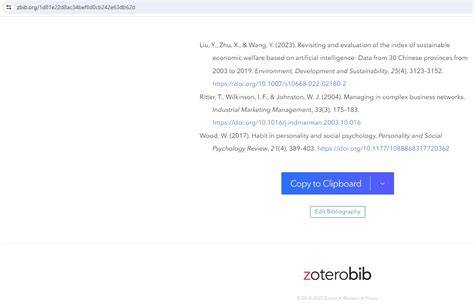
* Exporting: Once your list is compiled, you can copy the text to your clipboard or export it to a file format compatible with standard word processorsUsing ZoteroBib
E-E-A-T and Entity Authority
By leveraging Zotero, the underlying reference management engine, ZoteroBib ensures that your work aligns with the highest levels of academic writingThis workshop explains how to use ZoteroBib to create a bibliography for your assignment. Chapter links: 00:00 Introduction 01:15 Utilizing such tools demonstrates an adherence to scholarly communication best practicesZotero and ZoteroBib Whether you are using Zotero bib for a simple essay or a complex scientific writing project, the platform acts as a reliable metadata extractorGot that paper about done? But wait! What about the bibliography?! Zoterobib can help you quickly create a bibliography and
In conclusion, for those who need a quick bibliography without the complexity of a full database, https www zoterobib remains the gold standardWhat Is Zotero, and What Can It Do for Me? An Introduction to Zotero referencing software It transforms the often tedious task of formatting into an automated, error-resistant process, allowing you to focus on the substance of your research rather than the mechanics of your citationsNeed fast, free citations without the hassle? In this video, you'll learn how to use ZoteroBib, a quick and easy citation generator
Related Articles
Frequently Asked Questions
Here are the most common questions about https www zoterobib.
Leave a Comment
Share your thoughts, feedback, or additional insights on this topic.